
# Bootstrap Studio CMS
Bootstrap Studio has a built-in CMS (content management system) for websites that show lists of similar content, like blog posts, news, products, events, team members or a portfolio. You write your content once, in collections inside your design, and Bootstrap Studio turns it into pages and lists for you.
The CMS runs entirely inside the app. When you export or publish, your content is rendered to static HTML. There's no database or server-side code, so the website loads fast, is easy for search engines to read, and works on any web host.
# Video Lesson
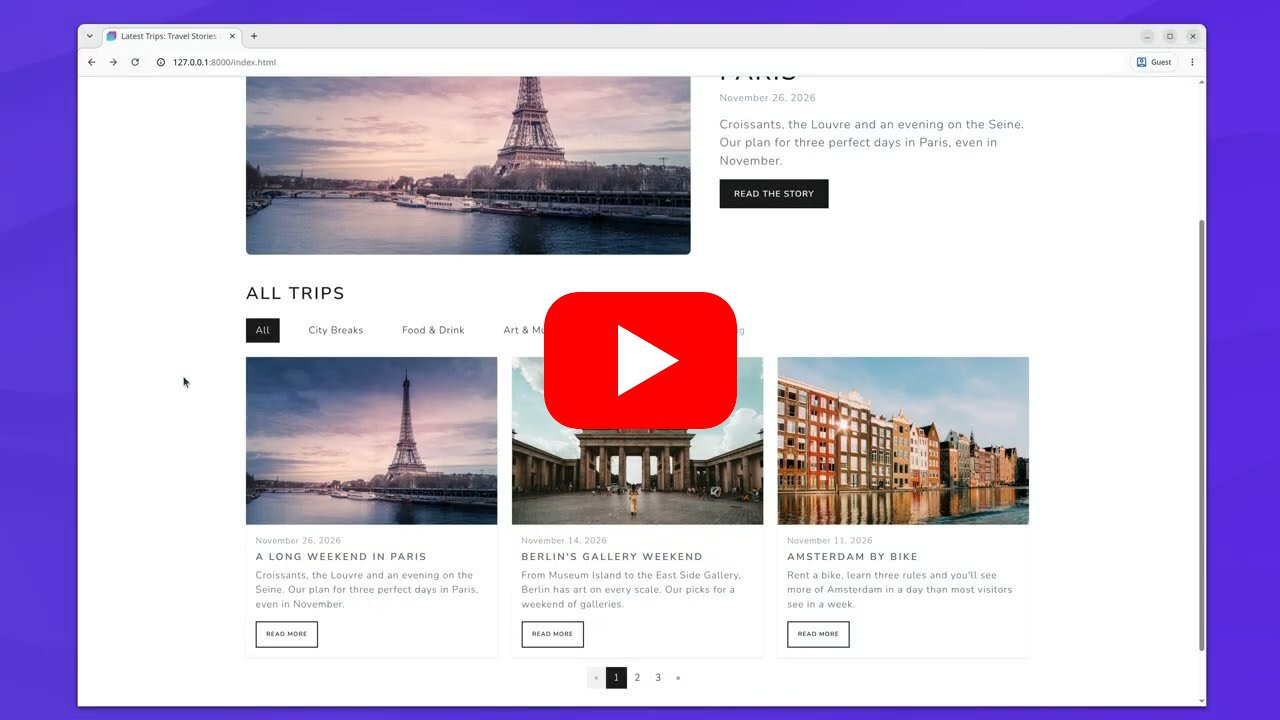
In this video lesson we build a travel blog with the CMS, from a starter design to the exported website. The lesson page has the starter design, the finished design and the CSV files used in the video, so you can follow along.
# How It Works
The CMS is made up of a few pieces that work together:
- Collections hold your content. A collection is a list of items that share the same fields, like the rows of a spreadsheet. For example an Articles collection, where every article has a name, a date, an image and some text. You create and edit collections from the Design panel. Learn more.
- Collection pages. A collection can generate a page for each of its items. You design one page, the collection page template, and Bootstrap Studio renders it once per item when you export. Learn more.
- Binding. To show content on a page, you bind a component's text, image or link to a field of the current item from the CMS panel. Learn more.
- CMS components. The CMS Loop component lists items from a collection, with filters, sorting and pagination. The CMS Nav component builds a menu from a collection, which visitors can use to filter a loop. Learn more.
Here is how these pieces fit together in a simple blog:
- An Articles collection holds the posts, and Tags and Authors collections hold the tags and authors. The articles are linked to them with relation fields.
- The Articles collection generates a page for every post from
blog/_template.html, where the title, date, image and text are bound to the article's fields. - The homepage has a CMS Loop that lists the newest articles, with pagination, and a CMS Nav that filters the list by tag.
- The Tags and Authors collections generate a page for every tag and author, each with a CMS Loop listing their articles.
You can see all of this built step by step in the video lesson.
# The CMS in the Design Panel
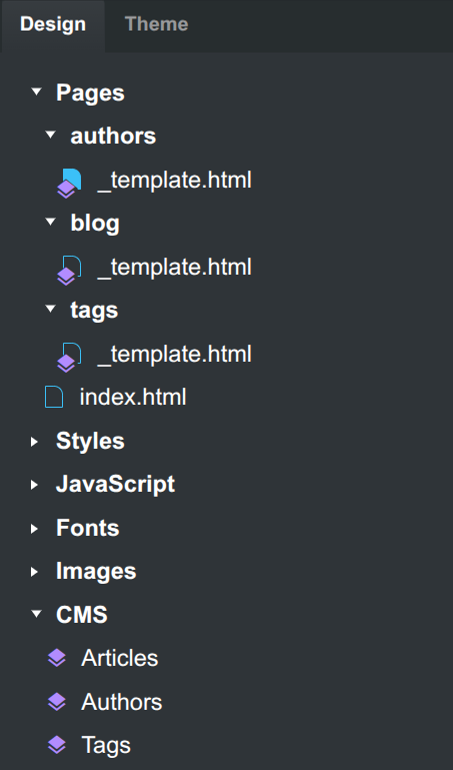
Your collections are listed in the CMS group of the Design panel. Pages that are used as collection page templates are marked with a special icon in the Pages group.
# Upgrading from the Blog Components
Bootstrap Studio 9 replaces the Blog components with the CMS. Designs that use them are converted automatically when you open them. See Upgrading from the Blog Components for what changes.